Mirroring
Database mirroring streams traffic, byte for byte, from one database to another. This allows you to test how databases respond to real, production traffic.
How it works
Mirroring in PgDog is asynchronous and should have minimal impact on production databases: transactions are sent to a background worker, which in turn forwards them to one or more mirror databases. If any statement fails, the error is ignored and the next one is executed. All query results are discarded as well.
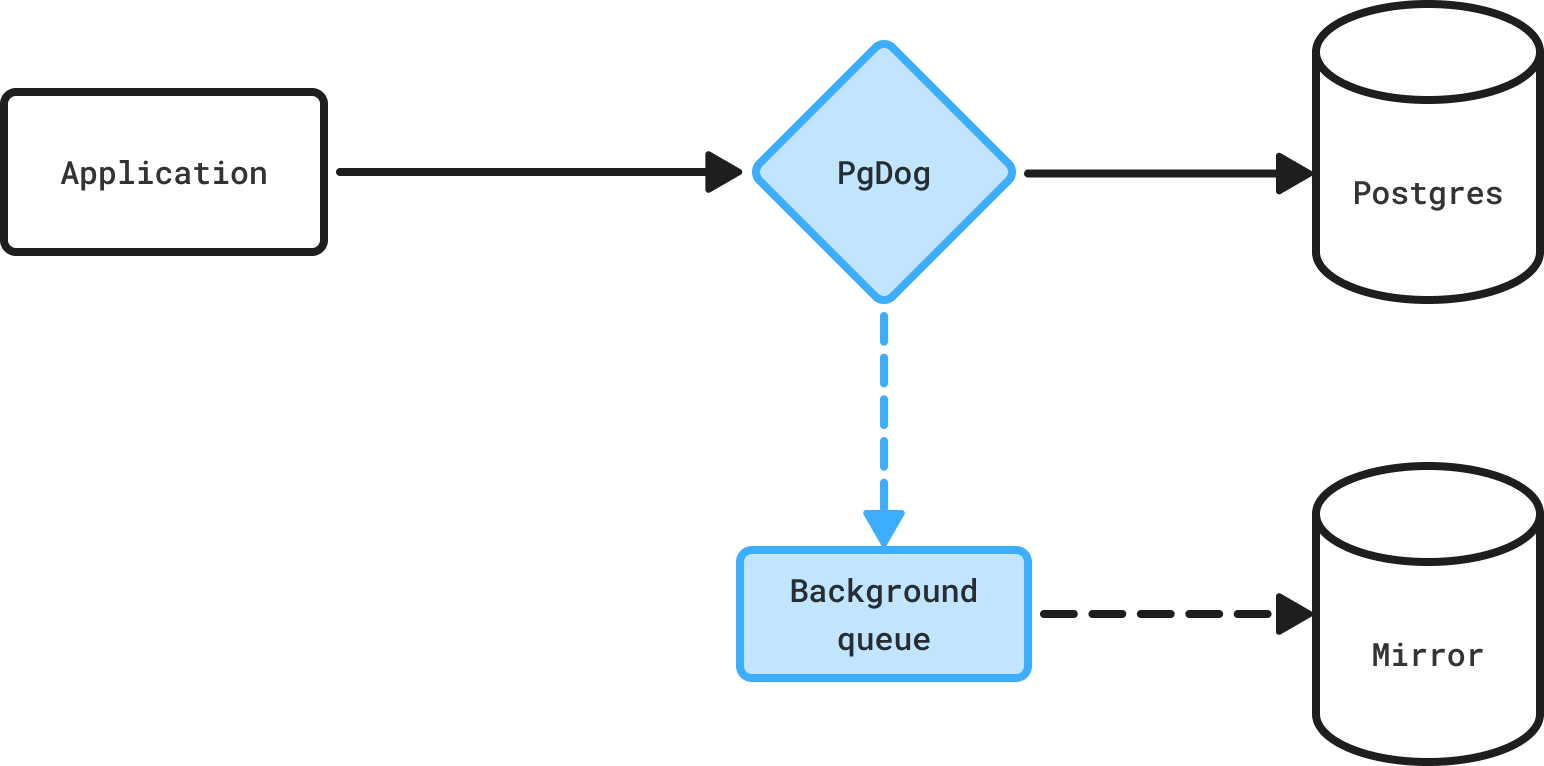
Mirroring architecture
Configuration
To use mirroring, first configure both the mirror and the production database in pgdog.toml. Once both databases are running, add a [[mirroring]] section:
Matching users
Mirrored databases are regular connection pools and require a user and password, configured in users.toml. PgDog will use those settings to connect to the mirror database and forward queries, so make sure the same users are configured on both databases.
You can connect to the mirror database like any other. The same connection pool will be used for mirrored queries. The production database connection pools will not be affected, since all traffic streaming happens in the background.
Each client connected to the main database has its own queue, so concurrency scales linearly with the number of clients.
You can have as many mirror databases as you like. Queries will be sent to each one of them, in parallel. More mirrors will require more CPU and network resources, so make sure to allocate enough compute to PgDog in production.
Mirror queue
If mirror databases can't keep up with production traffic, queries will back up in the queue. To make sure it doesn't overflow and cause out-of-memory errors, the size of the queue is limited:
You can also configure the mirror queue settings on a per-mirror basis, for example:
If the queue gets full, all subsequent mirrored transactions will be dropped until there is space in the queue again.
Mirroring is not replication
Since mirror queues can drop queries, it is not a replacement for Postgres replication and should be used for testing/benchmarking purposes only.
Exposure
It's possible to limit how much traffic mirror databases receive. This is useful when warming up databases restored from a backup, or if the mirror databases are smaller than production and can't handle as many transactions.
This is configurable using a percentage, relative to the number of transactions sent to the source database:
The same setting can be configured on individual mirrors:
Acceptable values are between 0.0 (0%) and 1.0 (100%).
This is changeable at runtime, without restarting PgDog. When adding a mirror, it's a good idea to start small, e.g., with only 1% exposure (i.e., mirror_exposure = 0.01), and gradually increase it over time.
Realism
PgDog tries to make mirrored traffic as realistic as possible. For each statement inside a transaction, we record the timing between that statement and the next one. When replaying traffic against a mirror, we pause between statements for the same amount of time. This helps reproduce lock contention experienced by production databases, on the mirror databases.
Filtering
It's possible to filter what kind of statements mirrors receive using configuration, for example:
The level setting supports the following arguments:
| Argument | Description |
|---|---|
ddl |
Mirror only DDL statements, e.g., CREATE, DROP, etc. |
dml |
Mirror all statements except DDL, e.g. INSERT, UPDATE, etc. |
all |
Mirror all statements. This is the default. |
DDL-only mirroring is useful when maintaining long-running logical replicas, since the logical replication protocol doesn't support synchronizing schema changes.
Query parser
Filtering specific statements requires parsing queries. If your database setup doesn't have replicas or sharding, the query parser is typically disabled. Before using this feature, make sure to enable it in pgdog.toml: